> For the complete documentation index, see [llms.txt](https://teogames.gitbook.io/dynamic-mesh-combiner/llms.txt). Markdown versions of documentation pages are available by appending `.md` to page URLs; this page is available as [Markdown](https://teogames.gitbook.io/dynamic-mesh-combiner/quick-start.md).
# Quick Start
Dynamic Mesh Combined allows you to easily combine meshes that adds to the scene dynamically. The main idea of plugin is simple have parent object with [MC Mesh Combiner](/dynamic-mesh-combiner/components/combiner/mc-mesh-combiner.md) Component and then you can add meshes with [MC Combinable](/dynamic-mesh-combiner/components/mc-combinable.md) as child objects. All those objects will be automatically combined into single mesh.
## Dependencies
The current implementation has dependencies on the following packages:
1. `com.unity.shadergraph`: This package is required for rendering baked materials and is an essential part of the Universal Render Pipeline (URP) integration. Can be skiped if you don't want to bake materials, or use current implementation. See [Bake Materials](/dynamic-mesh-combiner/components/bake-materials.md)
Additionally, Unity will prompt you to install the following dependencies automatically when you import the package:
2. `com.unity.memoryprofiler`: This package is used for memory profiling purposes. It provides tools and functionality to analyze and optimize memory usage within the application.
3. `com.unity.profiling.core`: This package is used for performance profiling and analysis. It offers features to measure and improve the performance of your application.
Please ensure that you allow Unity to install these dependencies when prompted during the package import process.
## Setup
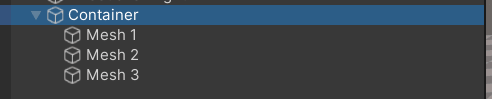
Basic setup looks like that:
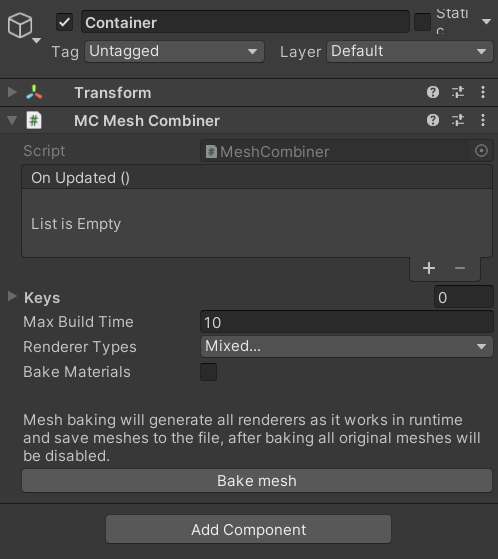
Where container should have component [MC Mesh Combiner](/dynamic-mesh-combiner/components/combiner/mc-mesh-combiner.md)
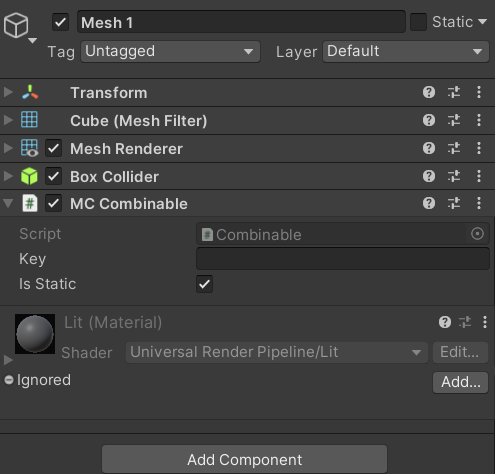
Each mesh should contain [MC Combinable](/dynamic-mesh-combiner/components/mc-combinable.md)component:
\
That simple setup will bake all 3 meshes into single one and render it on the scene.\
You can add or remove any amount of meshes in runtime and they will be automatically baked.